AI-Powered CV Import

Skip the manual setup. Upload your CV and automatically turn your professional experience into an editable portfolio profile.

Your CVYour professional profileYour website

Key benefits

  • PDF and DOCX support
  • Automatic extraction of career information
  • Editable results before publishing
  • Faster portfolio creation

How it works

  1. Upload your CV as a PDF or DOCX file.
  2. Review what was found: choose what to import, and edit or remove anything.
  3. Your profile is ready to use in any portfolio design.

Manage your professional profile once

Keep your core professional information in one place and reuse it across your portfolio.

Add and manage:

  • Work experience
  • Education
  • Skills
  • Projects
  • Certifications
  • Languages
  • Social links
  • Contact information

Update your information once and keep your professional presence easier to manage.

Show the work behind your experience

A job title alone does not explain what you actually did.

Go beyond the traditional CV: describe what you did in each role, then add the projects behind your work.

You can add:

  • Job title, company, and dates
  • What you did, your responsibilities, and your results
  • Personal and professional projects
  • Your role and organization on each project
  • Technologies and tools used
  • Project links and images

Give people a clearer understanding of what you can actually do.

Start from a design made for your profession

You do not need to start with a blank page.

Choose from professional templates designed around different careers, including software engineering, product design, product management, marketing, writing, finance, and creative work.

Each template gives you a strong starting structure while still letting you make it your own.

You can customize:

  • Sections
  • Content
  • Colors
  • Typography
  • Layout
  • Section order
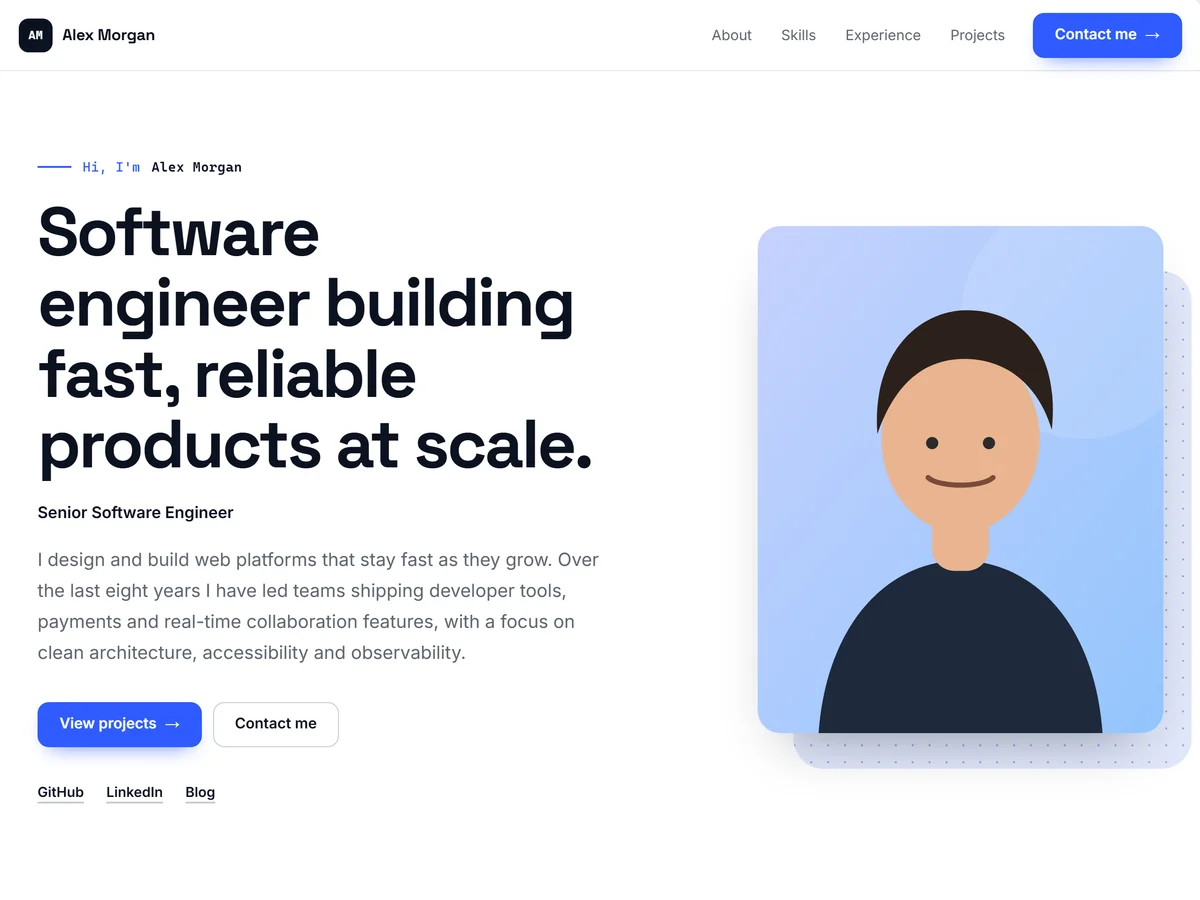
  • Developer Modern template: a bold headline for a software engineer, a short introduction and a portrait in a split hero.
    Developer Modern
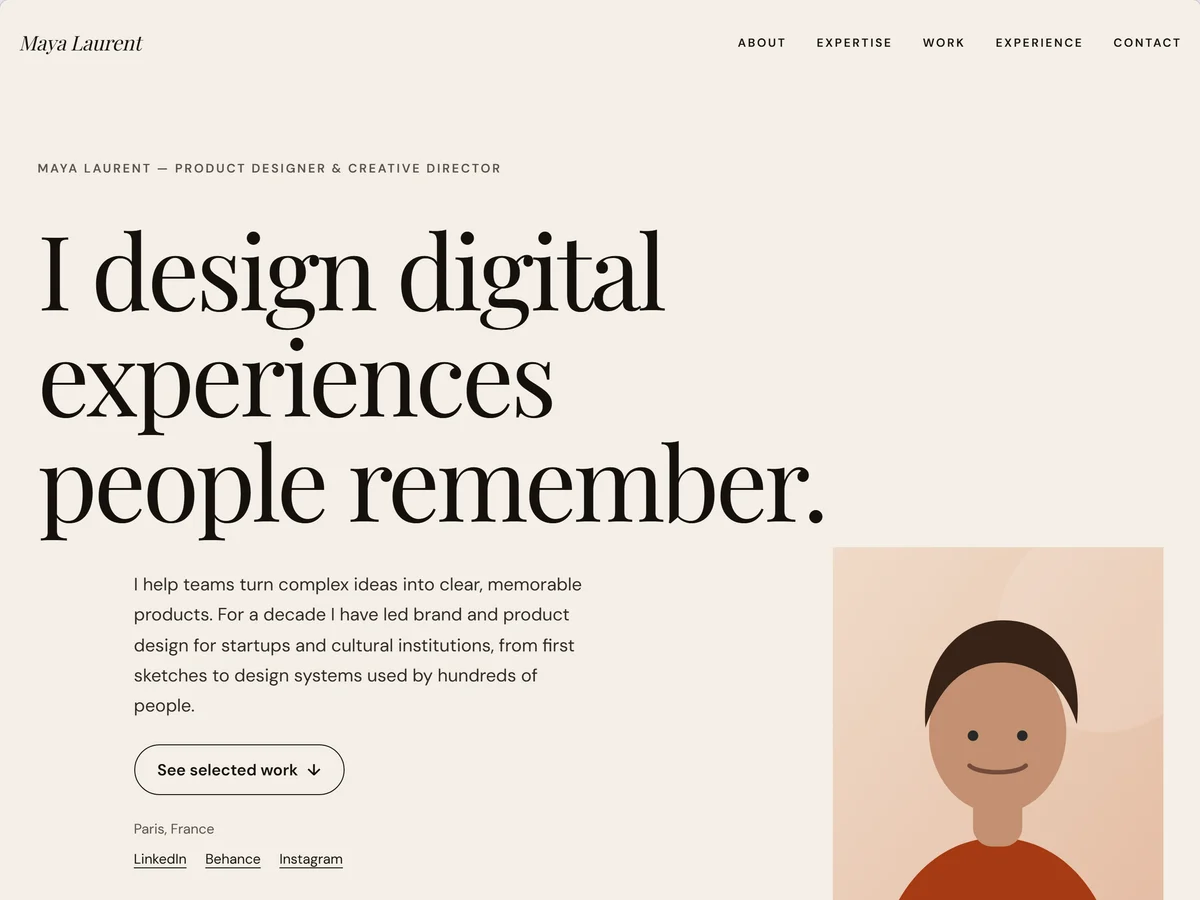
  • Creative Professional template: a large serif statement headline on a warm background with a portrait.
    Creative Professional
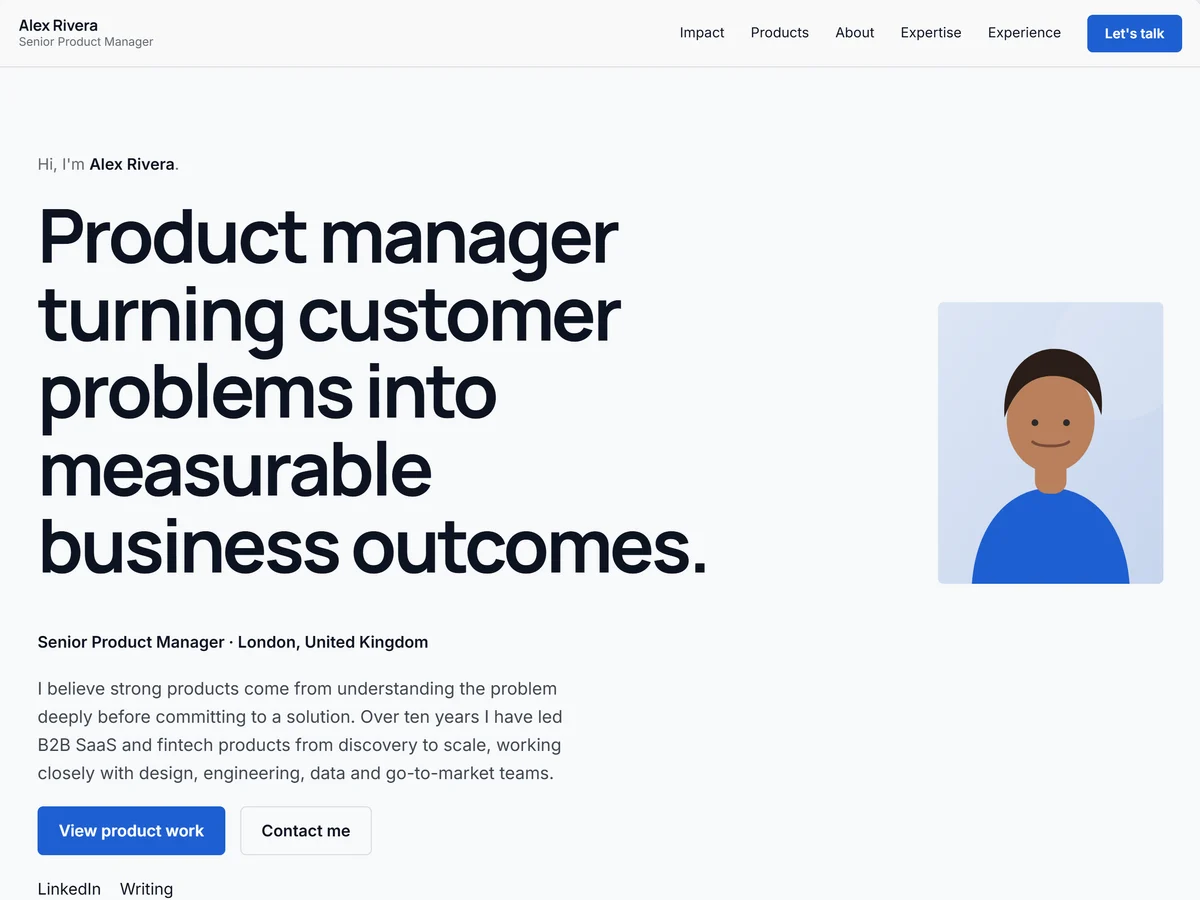
  • Product Manager template: a headline about business outcomes, a short introduction and a portrait.
    Product Manager
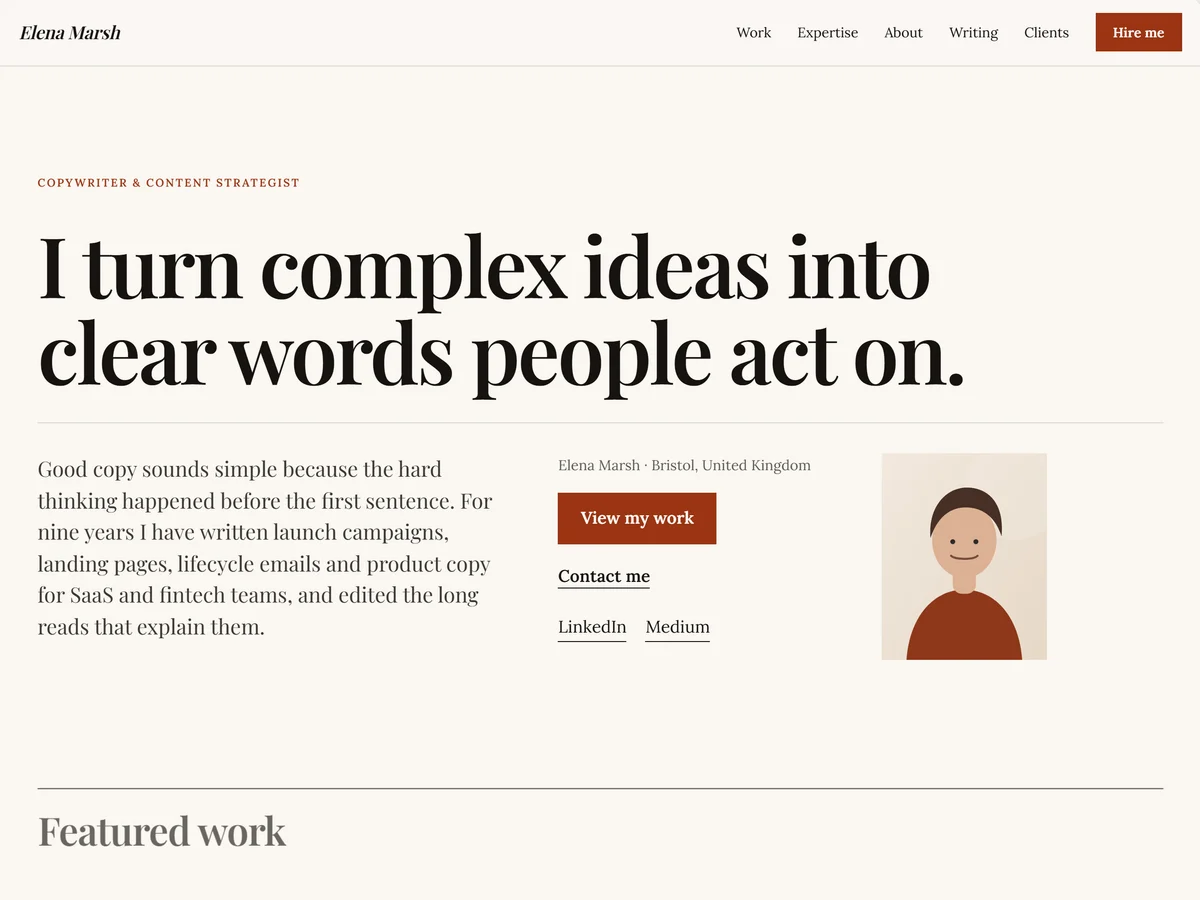
  • Copywriter template: an editorial serif headline, a short bio, a call to action and a small portrait.
    Copywriter

Make the template feel like yours

Start with professionally selected color palettes or create your own.

Customize the visual identity of your portfolio without needing design knowledge.

Change:

  • Primary colors
  • Accent colors
  • Text colors
  • Fonts
  • Font sizes
  • Section styles

Your portfolio stays professional while still reflecting your personality.

Build your portfolio your way

Your career does not fit into one fixed structure. Use the portfolio builder to decide what appears on your website and how everything is organized.

You can:

  • Add or remove sections
  • Reorder sections
  • Adjust layouts
  • Split content into columns
  • Control section width
  • Customize individual sections

Start from a template, then adapt it to the story you want to tell.

Add more than just text

Some work needs to be seen, not only described.

Bring your portfolio to life with supporting content that gives visitors a better understanding of your work.

Add:

  • Project images
  • Screenshots
  • Documents
  • CVs
  • Supporting files
  • External links
  • Project resources

Show the work behind your experience instead of reducing everything to bullet points.

Reuse your information without losing flexibility

Your professional profile gives you a reusable starting point.

Use the same experience, skills, education, projects, and other information across portfolios without having to enter everything again.

And when one portfolio needs to be different, you can customize its content without changing your main profile.

This gives you the best of both worlds:

  • Reusable professional information
  • Portfolio-specific customization
  • Less duplicate work
  • More control over what each audience sees

Publish once. Update anytime.

When your portfolio is ready, publish it and start sharing it immediately.

Use your personal portfolio link on:

  • Your CV
  • LinkedIn
  • Job applications
  • Email signatures
  • Social profiles
  • Business cards
  • Client proposals

Need to make a change later?

Update your portfolio and publish the new version without rebuilding your website.

Looks professional on every screen

Your portfolio automatically adapts to desktop, tablet, and mobile.

You focus on your content. The platform handles the responsive layout.

Your visitors get a clean experience whether they open your portfolio from a laptop, tablet, or phone.

Control how your portfolio is presented

Manage the details around your portfolio without dealing with technical website settings.

Control things like:

  • Portfolio title
  • Username and URL
  • Visibility
  • Publishing status
  • SEO information
  • Social preview information

Keep control of how your professional presence appears and how people discover it.

You stay in control of your portfolio

Decide what you want to publish and what you want to keep private.

Your portfolio only needs to contain the information you choose to share.

Manage your content, files, published portfolios, and professional information from one place.

Your work. Your information. Your decision.

Everything you need, without the complexity of a website builder

  • Profile management

    Keep your professional information organized.

  • Experience

    Present your roles, responsibilities, and achievements.

  • Projects

    Show the work you are most proud of.

  • Skills

    Highlight your professional and technical strengths.

  • Education

    Present your academic background.

  • Certifications

    Add qualifications and professional certifications.

  • Templates

    Start from professionally designed portfolio layouts.

  • Customization

    Control colors, fonts, sections, and layout.

  • Files

    Attach CVs, documents, and supporting material.

  • Images

    Add visual content to your projects and sections.

  • Publishing

    Take your portfolio live when you are ready.

  • Responsive design

    Look professional on desktop, tablet, and mobile.

Your experience deserves more than a PDF

A CV is useful, but it cannot show everything you have done.

Give your projects, achievements, experience, and skills a place where they can tell the full story.

Build a professional portfolio you can share anywhere.

Free to start. No coding required.